How Can We Help?
Adding A Map
This How To shows how to add a Google map into an event, course, contact or other page.
Go to https://maps.google.co.nz – it may send you to https://www.google.co.nz/maps Either is okay.
- Type in the location
- Choosing a place, rather than a address often gives you a better result.

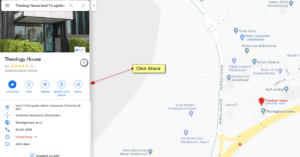
- Click share
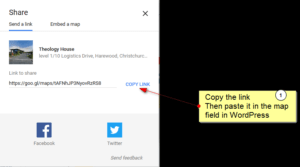
- Click copy link then paste it into the WordPress field