
How Can We Help?
Logging In
Summary:
In order to log into your WordPress site you need to open your web browser and navigate to your log in page.
The log in page for your website is https://theologyhouse.ac.nz/the-admin
(for most WordPress sites the last bit is wp-admin but we have changed it for security reasons)
Steps:
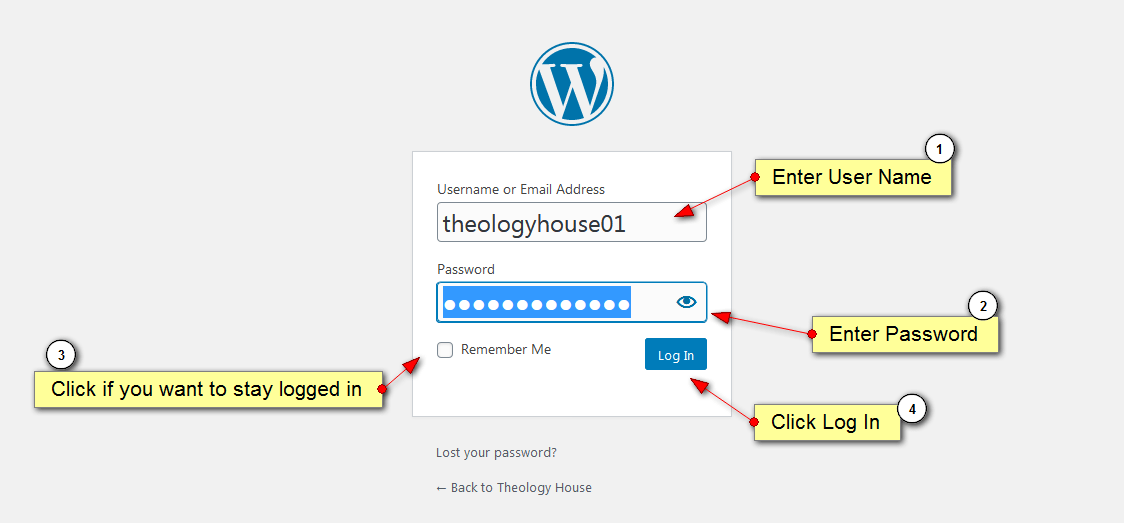
- Enter User Name
- Enter Password
- Click if you want to stay logged in (optional)
- Click Log In button
Results:
The page should change to show your dashboard (similar to fig 2 below)
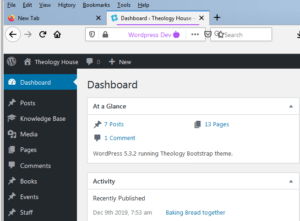
Fig 2